Theme
Storing data in Amazon S3 (S3 VFS)
Syncplify Server!, through its virtual file system (VFS) storage layer, can store your server's data on various backends. This article covers the S3 VFS type, which stores the data in an Amazon (AWS) S3 object storage bucket, or in any S3 compatible store.
INFO
The S3 backend, like the other remote backends, requires the Professional or the Ultimate edition. It exists in v6 and v7 too, where the editor takes an S3 URL with the bucket name and the region (us-east-1 is assumed when the region is missing) and the access key and secret as a JSON payload.
On the AWS side
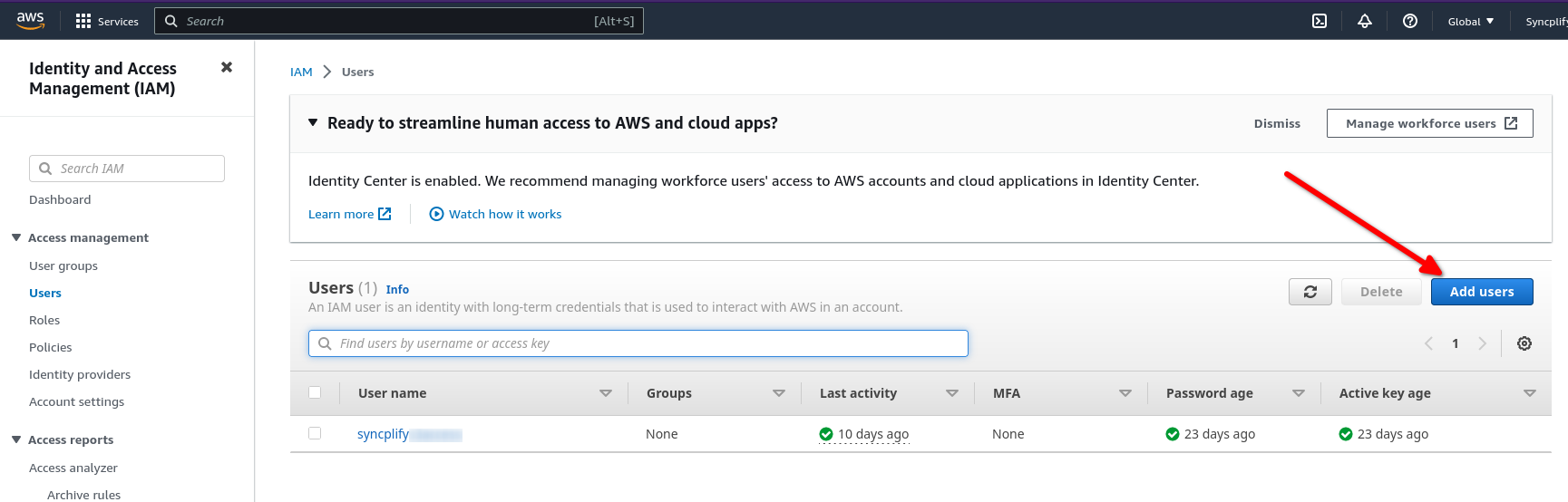
First of all you need an AWS IAM user to access the bucket. Head over to the IAM section of your AWS console and create one:
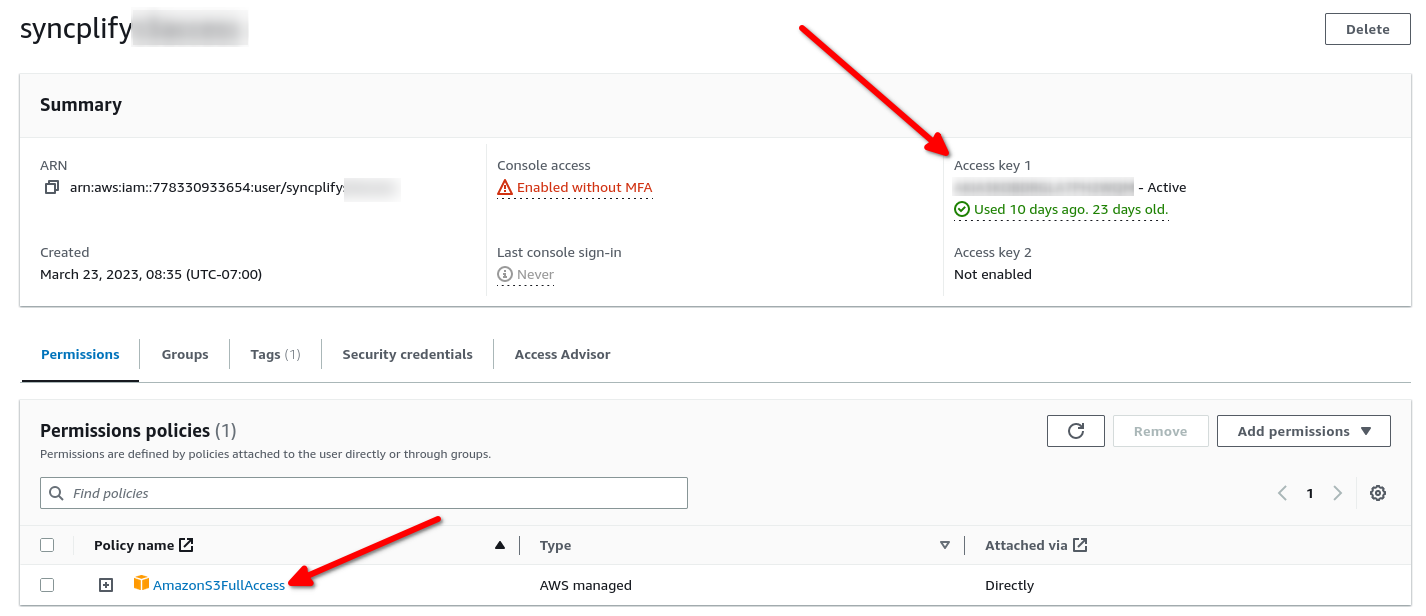
Make sure the new user has at least one access key, and that it has the permissions it needs on your bucket. The picture shows a user with full access, but for safety you should always grant the minimum set of permissions your workload requires.
Now create the bucket:
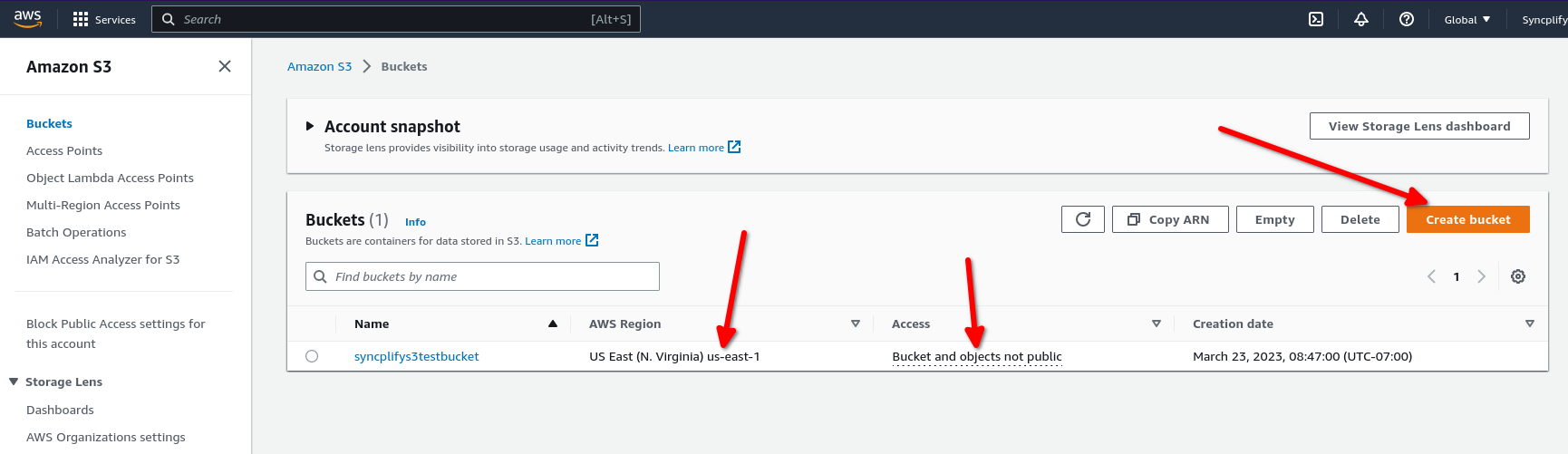
Deploy the bucket in the AWS region you need it in, and make sure its policies comply with the security requirements of your organization: typically you do not want the bucket to be publicly accessible, and you want it reachable only with the access key of the user you just created.
On the Syncplify Server! side
In the Admin UI of the virtual site, open Storage, then Virtual File Systems, select Create VFS, give it a name and choose the S3 type. The editor asks for:
- Connection: the Bucket name, an optional Bucket path (a prefix inside the bucket, when you do not want the VFS at its root), the Region, and an optional Endpoint. Leave the endpoint blank for AWS; set it for an S3 compatible store such as MinIO, Wasabi or Cloudflare R2. Two toggles complete the section: Skip TLS certificate verification (for a self hosted store with a private certificate) and Use path style addressing, which some self hosted stores need.
- Credentials: the Access key ID and the Access secret of the IAM user, plus the upload and download concurrency. Syncplify Server! stores every secret encrypted in its configuration database.
That is all there is to it. You can now assign the VFS to any user of the virtual site, as their home or as a virtual folder, and their data lands in the bucket. The manual documents every field in Virtual File Systems.