Theme
Storing data in Google Cloud Storage (GCP VFS)
Syncplify Server!, through its virtual file system (VFS) storage layer, can store your server's data on various backends. This article covers the GCP VFS type, which stores the data in a Google Cloud Storage bucket.
INFO
The GCP backend, like the other remote backends, requires the Professional or the Ultimate edition. It exists in v6 and v7 too.
On the Google Cloud side
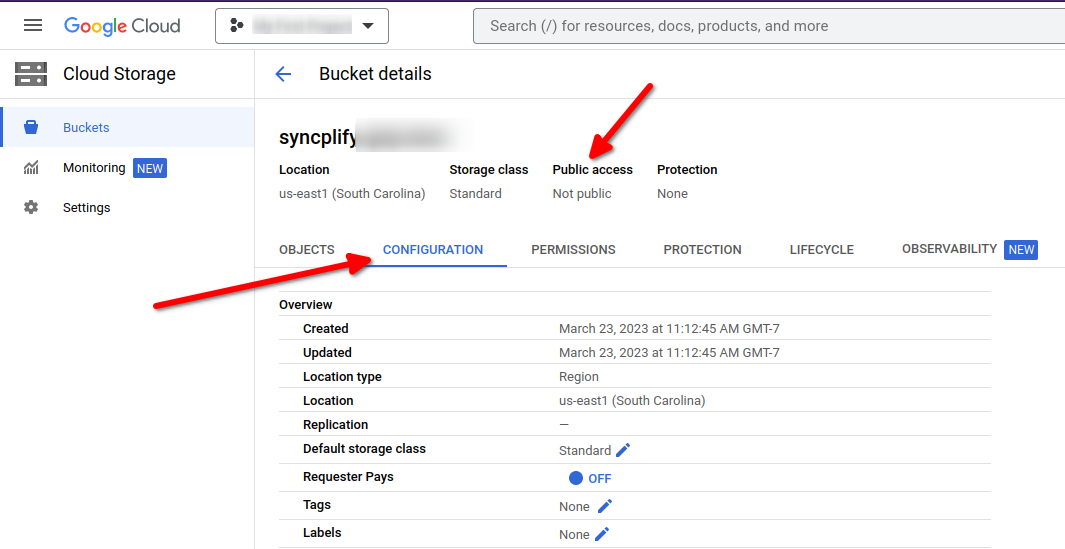
First of all, create a bucket in one of your Google Cloud projects. Make sure its security policies meet your requirements; the settings shown below are for illustration only, and you are responsible for choosing settings that fit your organization.
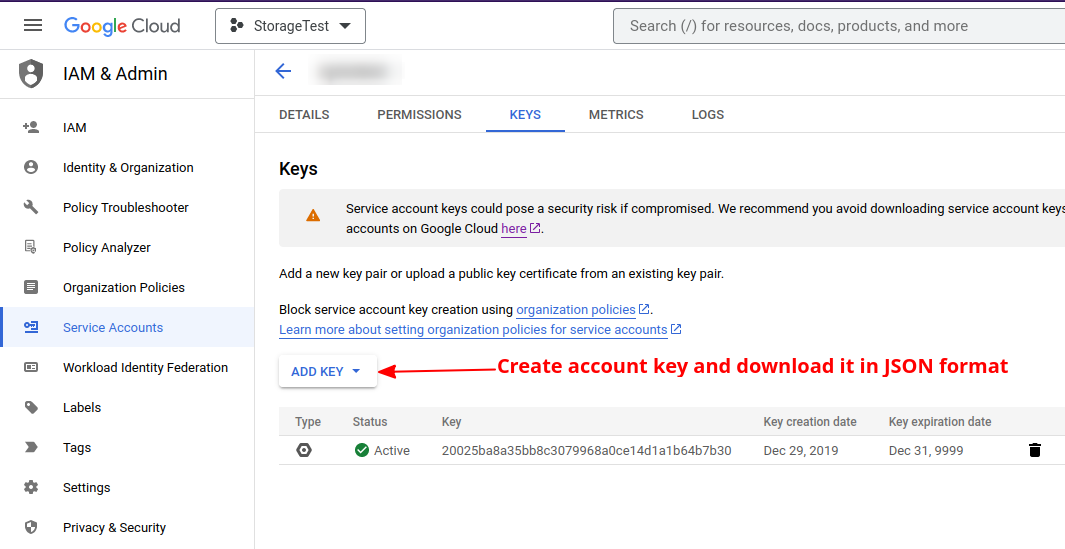
Then create a service account to access the bucket, create a key for it, and download the key in JSON format:
On the Syncplify Server! side
In the Admin UI of the virtual site, open Storage, then Virtual File Systems, select Create VFS, give it a name and choose the GCP type. The editor asks for:
- Connection: the Bucket name, an optional Bucket path (a prefix inside the bucket), and an optional Project ID.
- Credentials: the Service account credentials (JSON). Paste the content of the key file you downloaded, or upload the file. Left blank, the VFS uses the Application Default Credentials of the machine, which is what you want on a Google Cloud VM with an attached service account. Upload and download concurrency complete the section. Syncplify Server! stores every secret encrypted in its configuration database.
That is all there is to it. Your VFS is ready to be assigned to any user of the virtual site. The manual documents every field in Virtual File Systems.