Theme
Customizing SFTP and FTP greetings and banners
INFO
This feature requires Syncplify Server! 6.2.5 or later.
Syncplify Server! lets you customize the greetings and banners of the protocol handlers that support them, and it processes variables inside them when a client connects. In the Admin UI of the virtual site, the texts are on the SFTP / SSH page (the login banner and the software identification string) and on the FTP page (the greeting banner, the login message, the login failure message and the logout message).
Here is a basic example of what you can write in a greeting:
See the field between double curly brackets? That is a variable. When a client connects, Syncplify Server! expands the greeting and sends it fully resolved. This is what the server sent FileZilla upon connection:
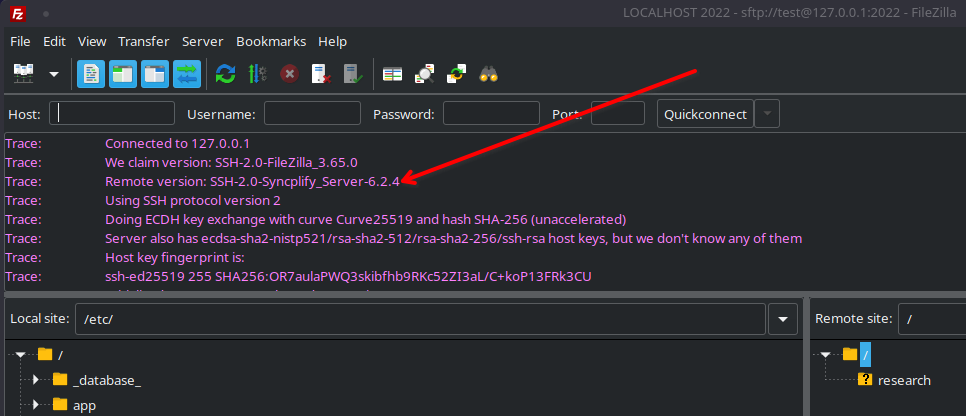
The variables you can use
These are the variables available in banners and greetings:
| Variable | Expands to |
|---|---|
| The current server time, for example 2006-01-02 15:04:05.999999999 -0700 MST |
| The current UTC time, for example 2006-01-02 15:04:05.999999999 |
| The words Syncplify Server! |
| The words Syncplify Server! Worker Service |
| The version of the software, for example 8.4.0 |
| The current CPU load of the worker process, for example 0.71% |
| The RAM currently used by the worker process, for example 84 MB |
| The number of active client sessions, for example 42 |
The same notation is used for the parametric variables of a VFS, which are a different set. Both sets are documented in the manual's page on variables.