Theme
Backing up the Syncplify Server! configuration database
WARNING
This article applies to Syncplify Server! v6 and later. The backup procedure of the retired v4 and v5 is described as the first step of Upgrading from v4 or v5 to v8.
A backup of the configuration database (virtual sites, users, VFSs, certificates, scripts, settings) is part of any disaster recovery plan, and it is also what a move to a different machine starts from. Syncplify Server! offers three ways to take one.
The backup passphrase (v8)
From v8 every backup is sealed with a passphrase of at least 12 characters. Every secret inside the archive (passwords, private keys, stored credentials) is encrypted with a key unique to your installation, which never leaves the server; the passphrase seals a copy of that key inside the archive, and that copy is what allows the backup to be restored on a rebuilt server, on a different one, or on a new cluster node.
The passphrase is not stored anywhere and cannot be recovered. Without it, an archive can only be restored onto the very installation that produced it. Keep it somewhere safe, separately from the archive. Backups taken by v6 and v7 have no passphrase: when you restore one, leave the passphrase field empty.
Method 1: from the SuperAdmin UI
The easiest way is the Backup & Restore page of the SuperAdmin UI: enter the passphrase twice, then select Download backup. The archive is named with the current date.
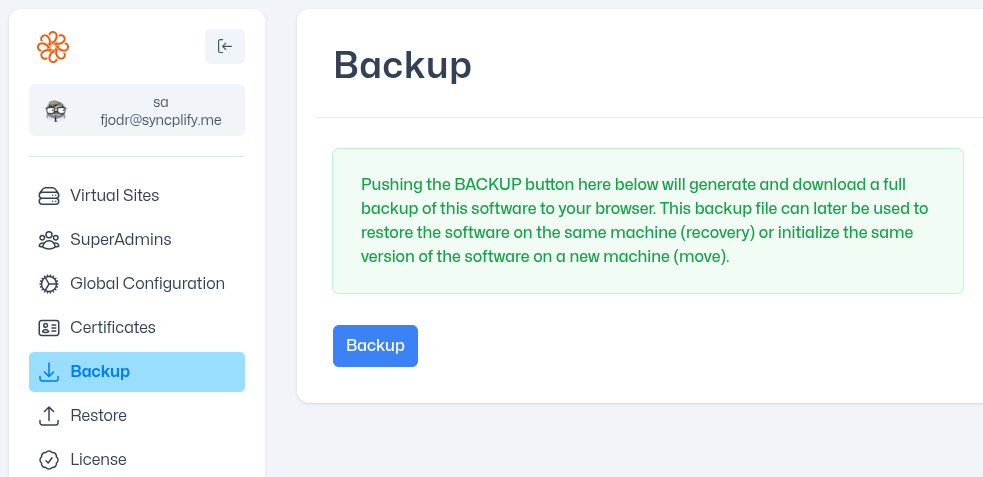
The manual describes the page, and the restore side of it, in Backup & Restore.
Method 2: via the REST API
A web UI is not suited to automation. If you prefer to script your backups against the REST API, the same function is POST /sa/backup: it takes the passphrase in its JSON body and returns the ZIP archive. It requires a SuperAdmin session. The endpoint is documented, in OpenAPI format, at openapi.syncplify.com/v8/webrest, which covers the setup, SuperAdmin and Admin APIs; the WebClient! API has its own definition at openapi.syncplify.com/v8/webclient.
Method 3: from the command line
For those who prefer the command line, the Web/REST service executable has a backup verb. Open a terminal as Administrator (Windows) or with sudo (Linux), change directory to where Syncplify Server! is installed (C:\Program Files\Syncplify Server! or /opt/Syncplify/Server/bin) and run it.

On Windows:
powershell
.\ss-webrest.exe backup -d "C:\directory\where\you\want\your\backup"On Linux:
bash
sudo ./ss-webrest backup -d /directory/where/you/want/your/backupThe destination directory is created if it does not exist, and the archive is written there as ssrv-db-backup-<date>-<time>.zip, readable by the account that ran the command only.
The command asks for the passphrase interactively. In a script, where there is no terminal to ask on, supply it in one of these ways instead:
| Way | Notes |
|---|---|
--passphrase-file <path> | Reads the passphrase from a file. Give the file mode 0600. The recommended choice for scripts. |
SS_PASSPHRASE environment variable | Read by the configuration layer like every SS_ variable. |
-p, --passphrase <value> | Accepted for compatibility, but visible in the process table to every local account for as long as the command runs. Avoid it. |
The manual's Command line reference covers the backup verb, its counterpart initfrombak (which initializes a brand new node from an archive) and the other verbs.
INFO
On v6 the executable is named ss6-webrest and lives in /opt/Syncplify/ServerV6/bin on Linux; on v7 and v8 it is ss-webrest. The verb and its -d flag are the same.
Two files no backup contains
Two files in the data directory (C:\ProgramData\Syncplify\Server on Windows, /opt/Syncplify/Server/data on Linux) are deliberately left out of every archive:
| File | Holds |
|---|---|
.ssrv-installation.key | The key that encrypts every secret this installation stores |
.ssrv-database.cred | The password this installation uses to reach its own database (v8.1.0 and later) |
That is what makes a stolen archive useless on its own. The flip side is that losing them is not something a backup can undo: back them up separately, and store them somewhere other than alongside your archives. The manual explains both in Protected files on a node.