Theme
Local disks and network shares
The most common use of SFTP.cloud is to securely expose your on premises, disk based storage over SFTP, FTPS and HTTPS.
That covers several storage families:
- Directly attached storage (disks, SSDs, NVMe drives, USB drives)
- Network attached storage (NAS, over SMB/CIFS or NFS)
- Storage area networks (SAN, usually seen as local storage by the operating system thanks to protocols such as iSCSI)
The configuration in the Storage Connector is the simplest of all supported storage back ends:
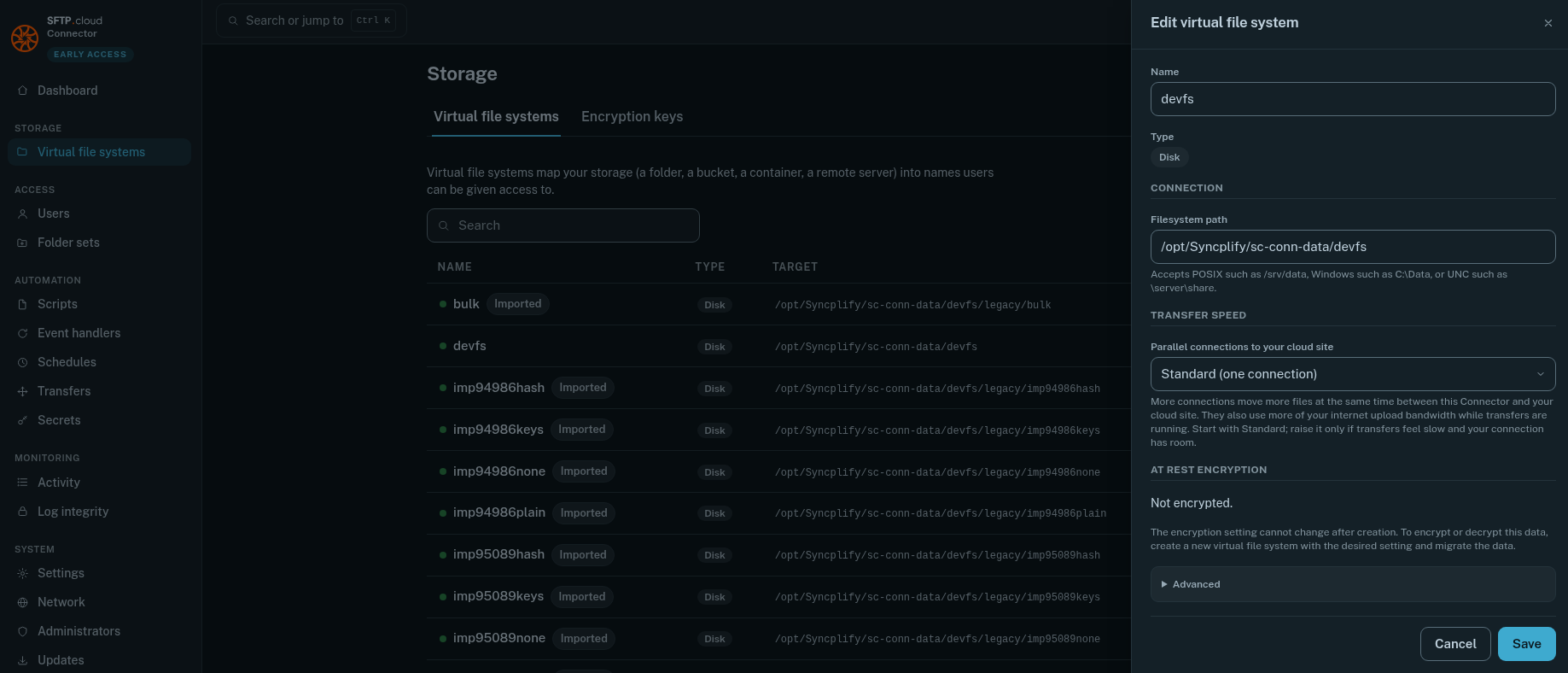
The only variable setting (encryption at rest aside) is the Filesystem path, which can be:
- A fully qualified, absolute POSIX path (for example
/srv/data) on Linux, BSD, macOS and any supported POSIX operating system - A fully qualified, absolute Windows path (for example
C:\SFTPData) on Windows - A UNC network path (for example
\\server\share) on Windows; read the warning below first
INFO
If you run the Storage Connector under a service account (that is, not as root or LocalSystem), that account must be able to read and write the chosen path.
UNC paths on Windows
As strange as it sounds, on Windows the LocalSystem account does not have access to UNC network paths. If you intend to use that kind of storage, running the Connector under a service account is mandatory.
In Docker
If the Connector runs in a container, the path must exist inside the container: mount the host directory or the share into it first, then point the VFS at the mounted path.
Once the VFS is configured, grant the desired permissions on it to the transfer users who should access it. Switch to the Users page in the Connector UI and grant access like this:
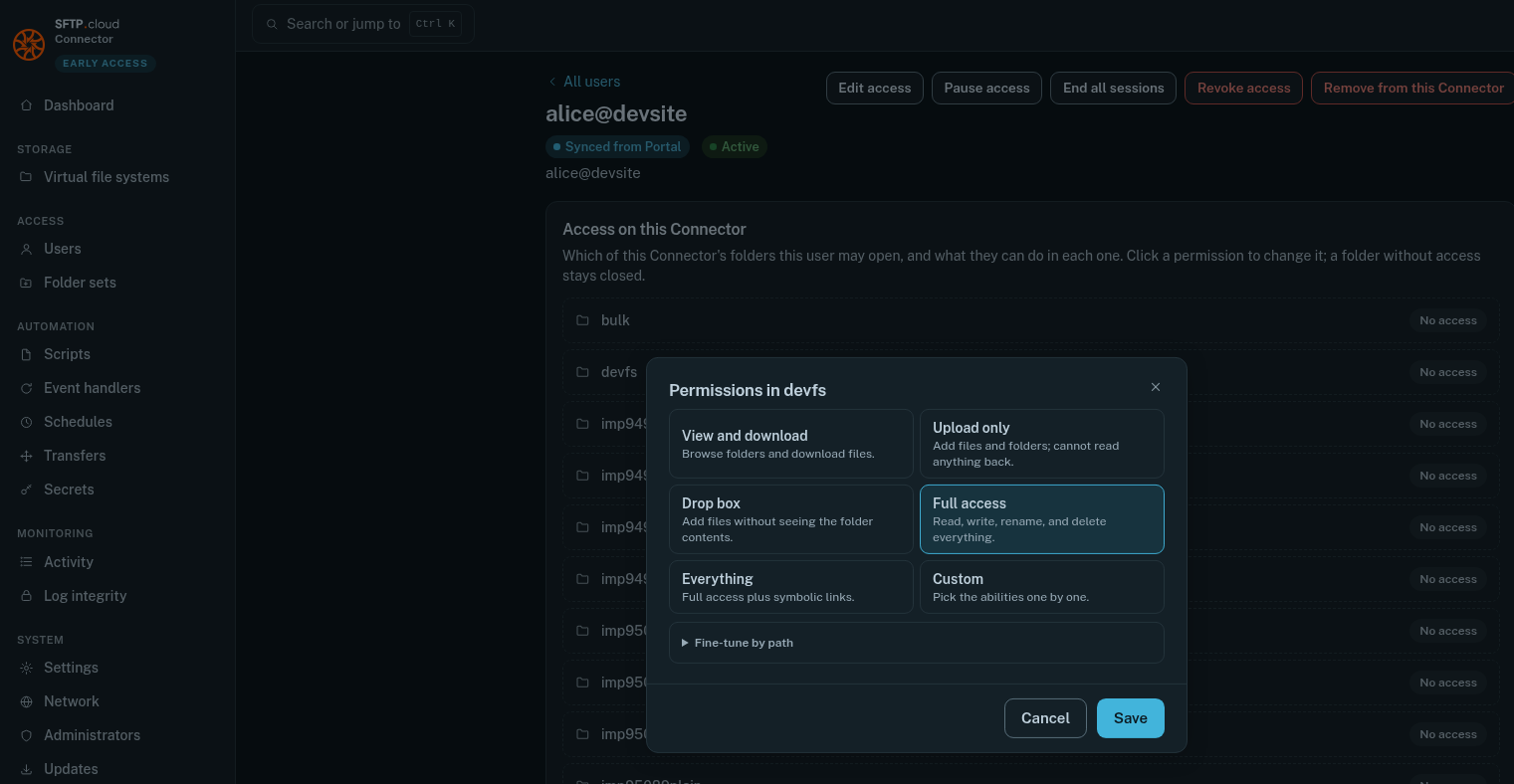
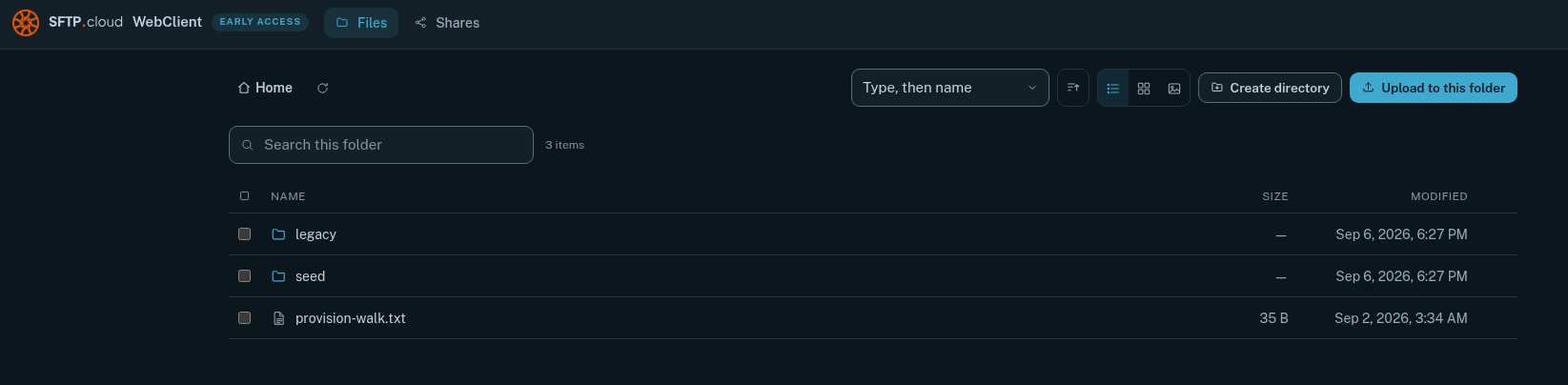
That is it. The users you granted access to can now point their browser or SFTP client to the site's host name, sign in, and work with the storage:
In the manual