Theme
Buying or extending a maintenance and support plan
Syncplify never forces a customer to buy a maintenance and support plan or to keep it current, but an active plan is the only way to get:
- updates and upgrades, including bug fixes and hot fixes
- customer support
What the plan covers is explained in Maintenance and support plans explained.
Extending the plan of one license
- Sign in to the Syncplify Customer Center with the email address that was used to purchase the license. See Signing in to the Syncplify Customer Center if you have trouble.
- Open Licenses and open the license whose plan you want to buy or extend (the arrow at the end of its row).
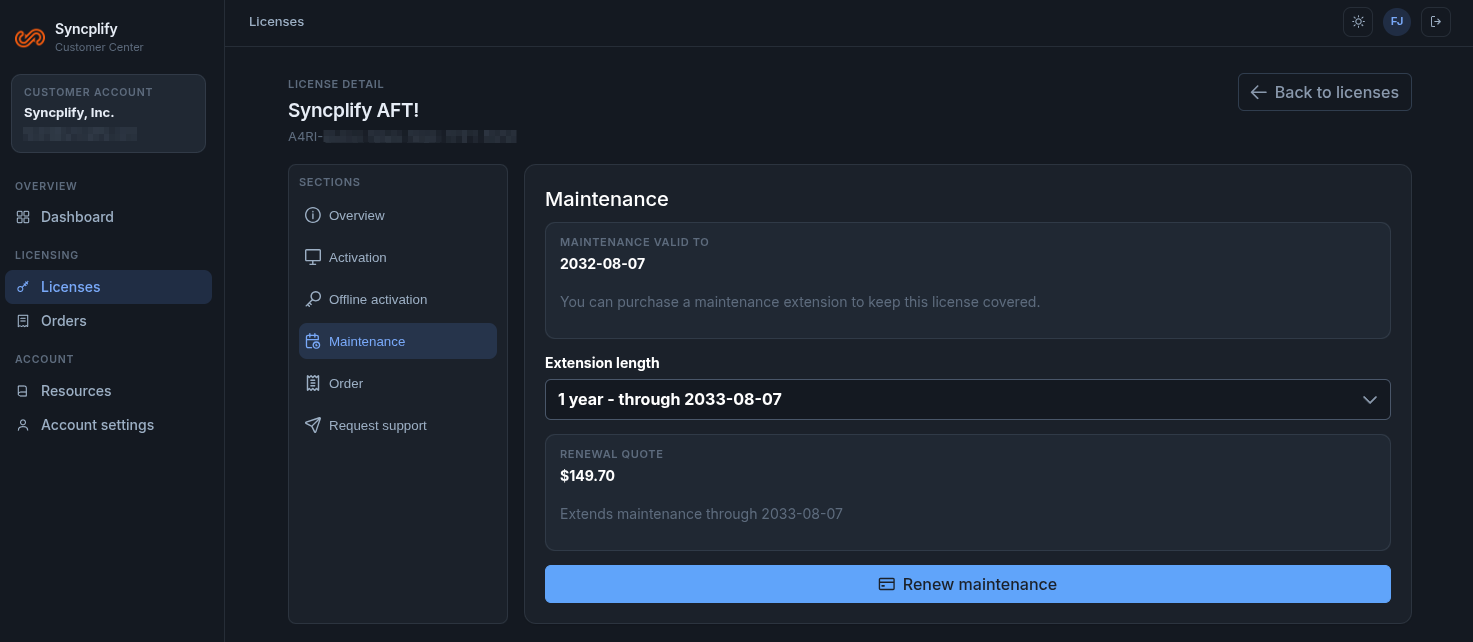
- In the license page, open the Maintenance section. It shows the date the maintenance is valid to, an Extension length selector and the Renewal quote for the length you pick. Plans are sold in whole years, so the new expiration date is at least one year out.
- Choose Renew maintenance and complete the checkout. The Maintenance section then shows the new date.
If the plan has lapsed
- Syncplify Server! v6 and later: as a rule, a lapsed plan can be reinstated with the steps above: choose an extension length that brings the expiration date to a date in the future. Once the plan is active again, every update and upgrade, minor or major, is free.
- Syncplify.me Server! v1 to v5: a lapsed plan cannot be reinstated or extended. To run the current version, you need to buy a new license; for a quote, write to sales@syncplify.com.
Co-terming several licenses
You can align the plans of several licenses so that they all expire on the same day, in one checkout:
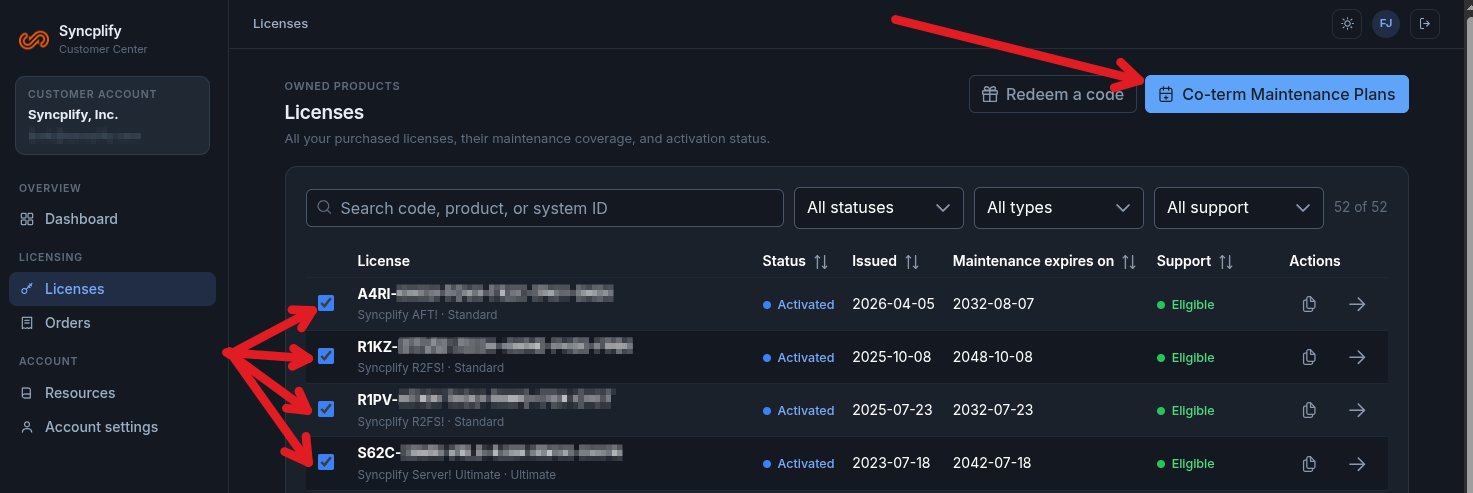
- Open Licenses and tick the checkbox of every license you want to align.
- Choose Co-term Maintenance Plans at the top of the list.
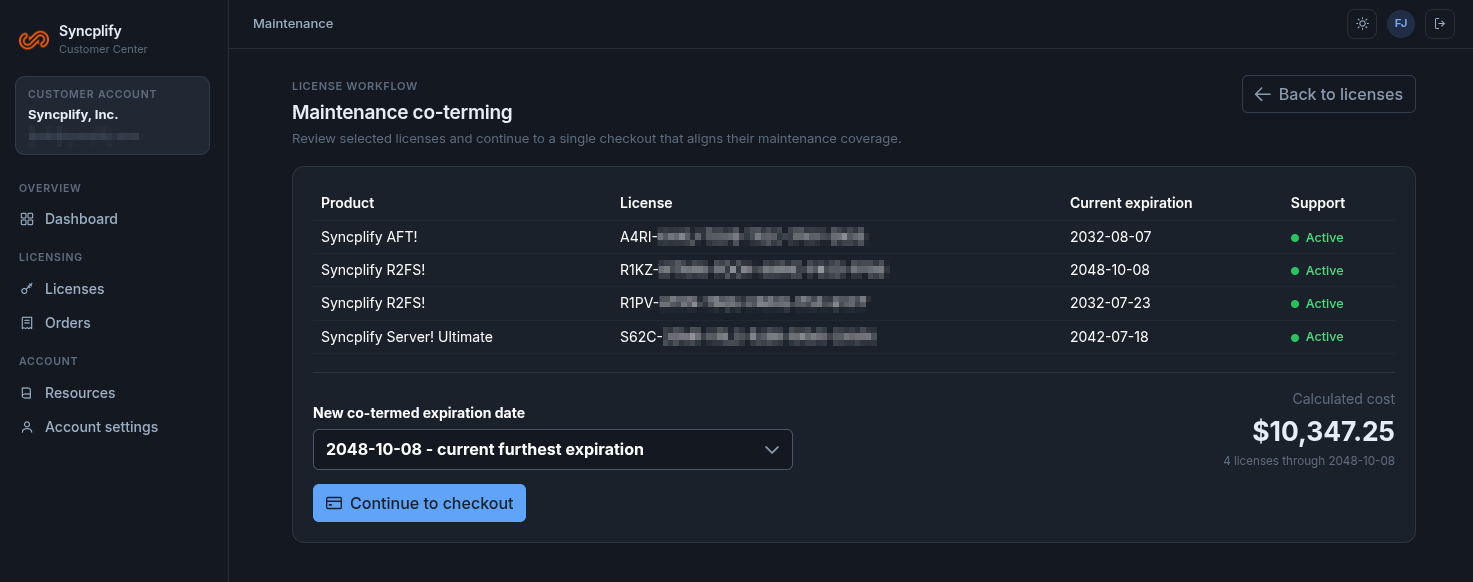
- The Maintenance co-terming page lists the selected licenses with their current expiration dates. Pick the new co-termed expiration date (the furthest current expiration is proposed) and review the calculated cost for bringing every selected license to it.
- Choose Continue to checkout and complete the purchase.