
RustFS
Linode Objects StorageRustFS is an absolutely remarkable S3-compatible object storage by(read Linodemore (akaon Akamaithe Cloud)RustFS web site).
Step #1: in Linodethe RustFS web console
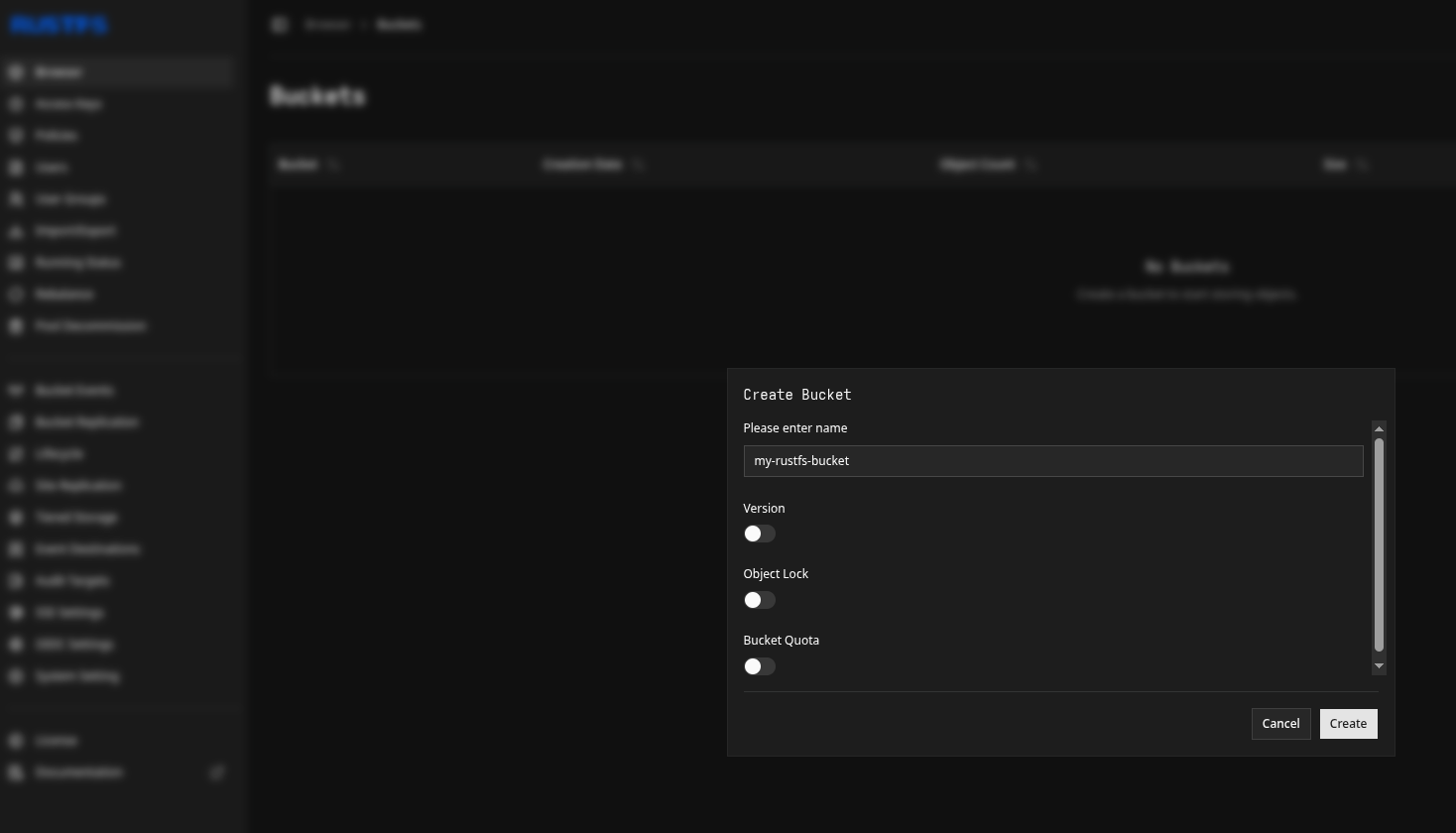
To use this object storage as a backend for SFTP.cloud, the first thing you need to do is creating a bucket in the LinodeRustFS regionweb ofUI, youras choice.you'd Tousually do so, open the Linode Management UI in your browser, sign-in, and then:do:
Select theObject Storagepage in the STORAGE section in the sidebar menuSelect theBucketstab, and click theCreate BucketbuttonPick a name and a region for your bucketPress theCreate Bucketin the slide-out configurator once ready
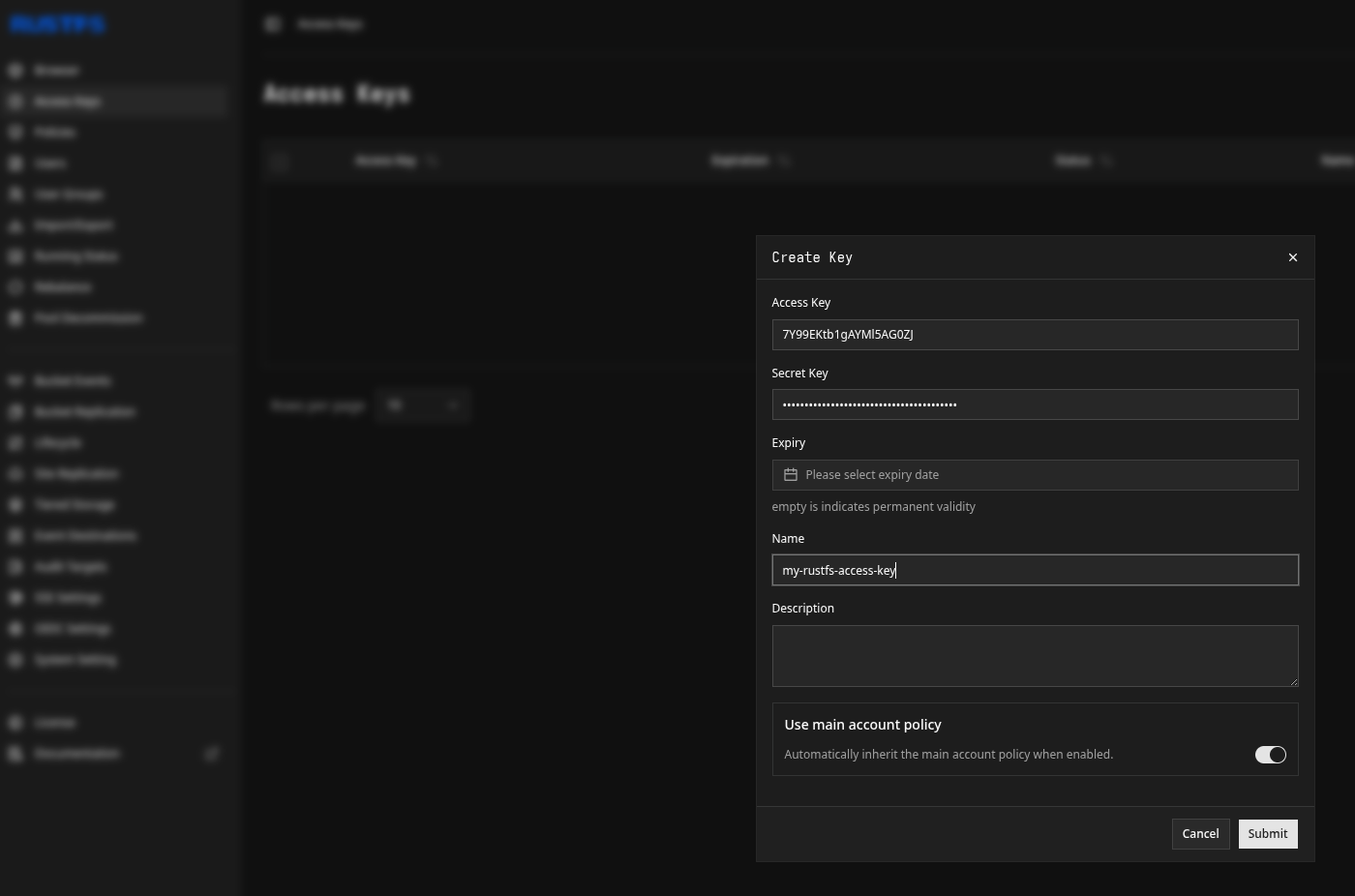
Once the bucket is created, the next thing you'll need is an Access Key (and its associated Secret) to access it. You can issue them in the Access Keys tab in the sameRustFS Linodeweb Management UI section.UI. We recommend you limit the scope of your Access Key only to the bucket(s) you genuinely want to use via SFTP.cloud.
That's it for the LinodeRustFS side. Now let's move to the SFTP.cloud side.
Step #2: in your SFTP.cloud Storage Connector
The first thing to do is to add a new Virtual File System. For Linode Object Storage in particular there are a few small (but extremely important) details to pay attention to:
- Type:
S3(well,justobviously)like any other S3-compatible object stores) - Region: leave empty
- Endpoint: this needs to be the
LinodeRustFS S3 endpoint,withoutbythedefaultbucketRustFSname,usesso,http://<rustfs-host-ip-addr>:30292for example, ifunless youdeployedconfiguredyouritbucketwith TLS (which you definitely should) inthewhichWashingtoncase2 DCregion, this will simply beit'shttps://us-iad-18.linodeobjects.com...
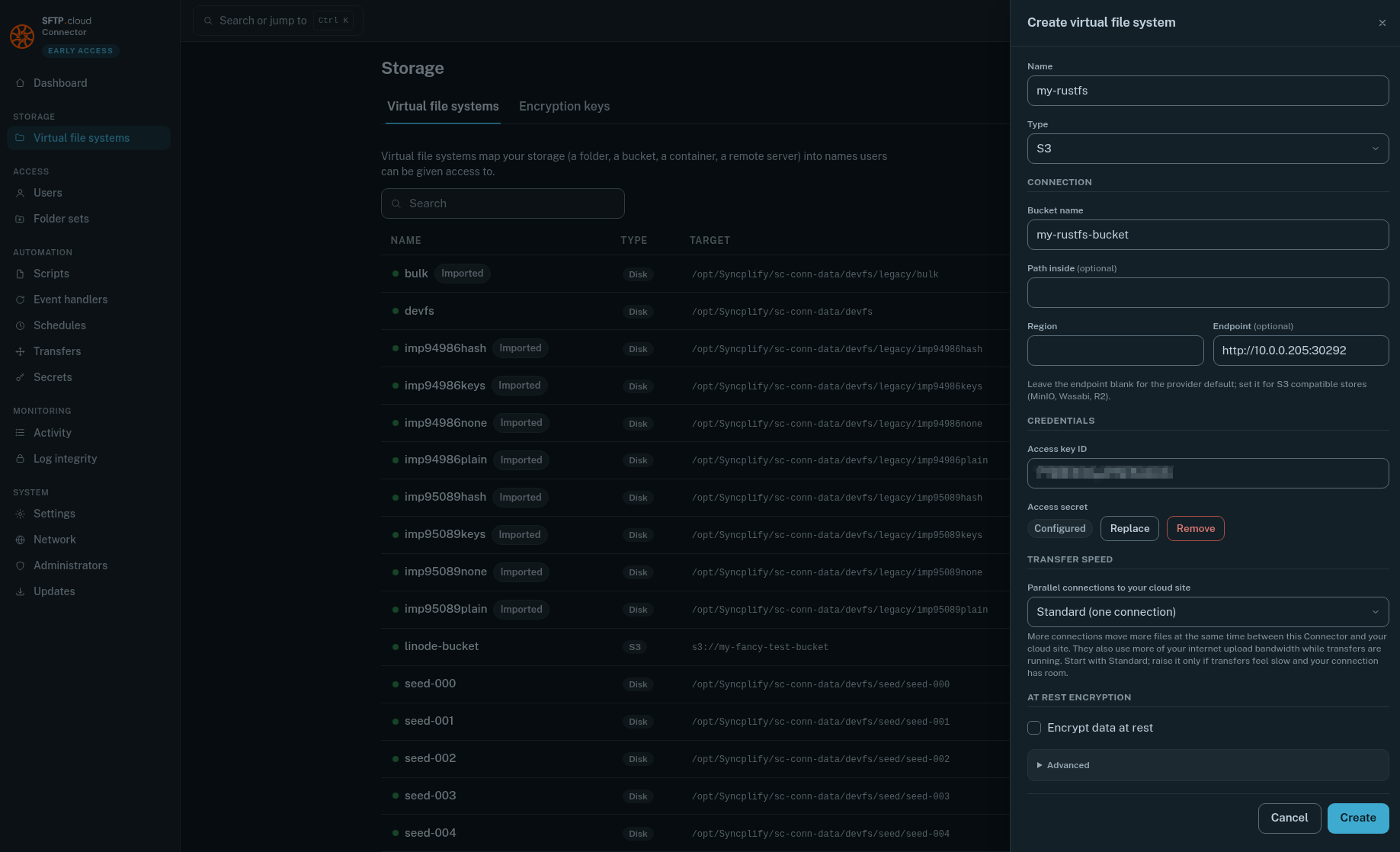
Do NOT forget to push the Save button next to the Access secret after you type it in, or it won't be saved, and nothing will work.
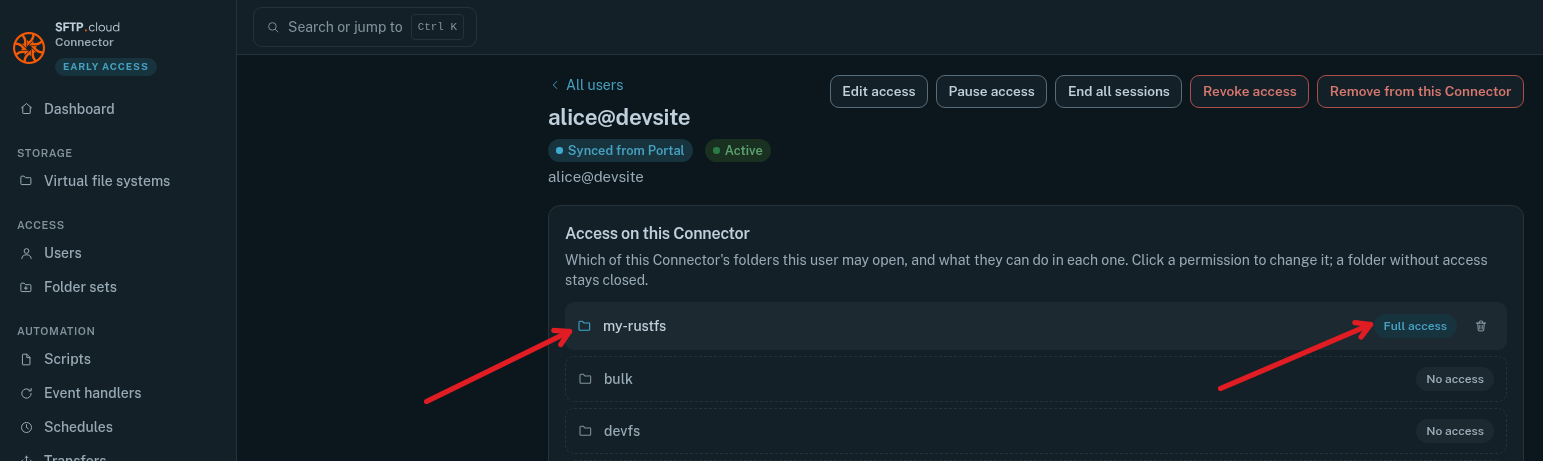
Then, still in the Storage Connector UI, go to the Users page, and give your user(s) the desired access to the newly created VFS:
Finally
Test it out. Connect to it via your SFTP.cloud WebClient, create a folder, upload some files...
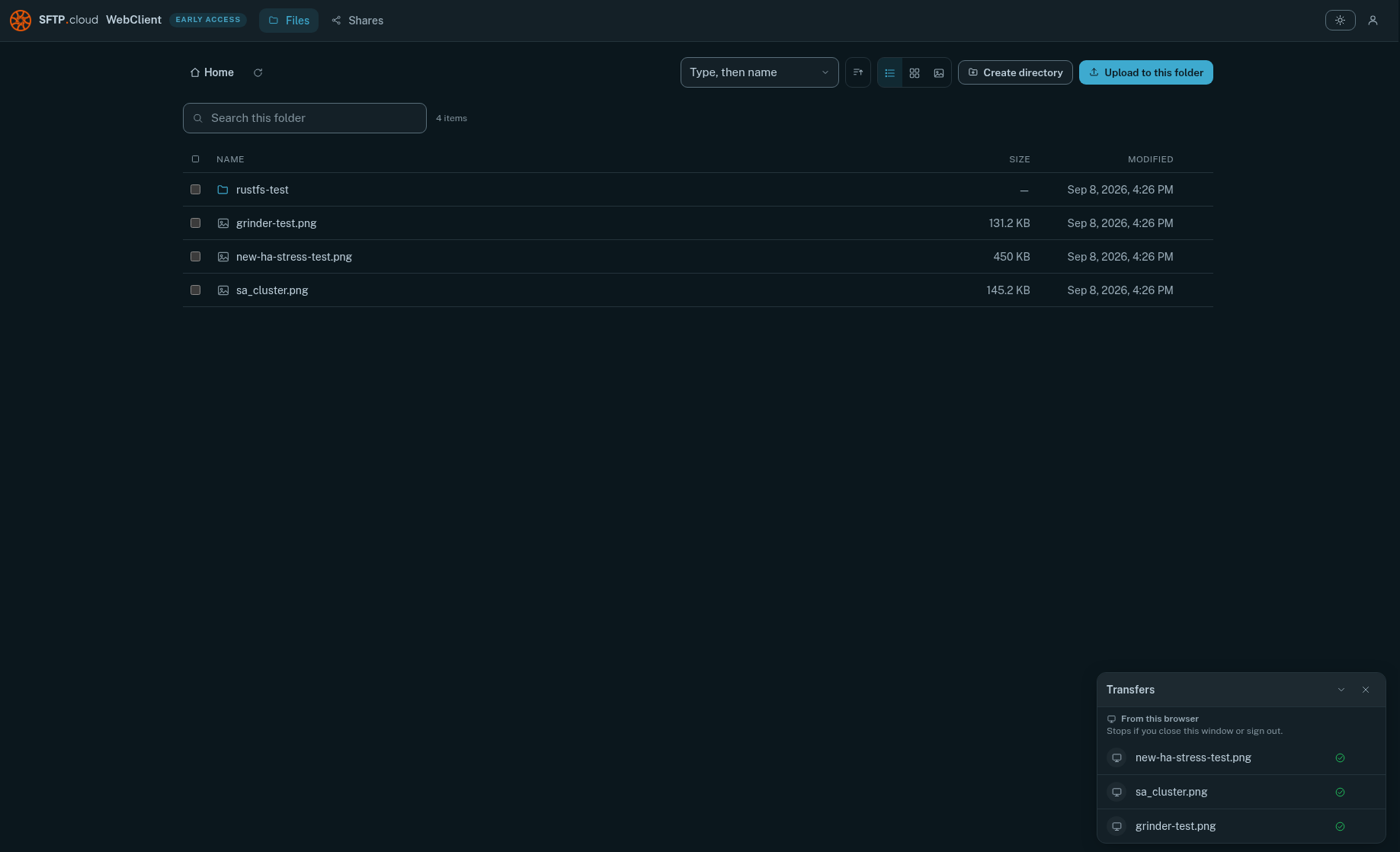
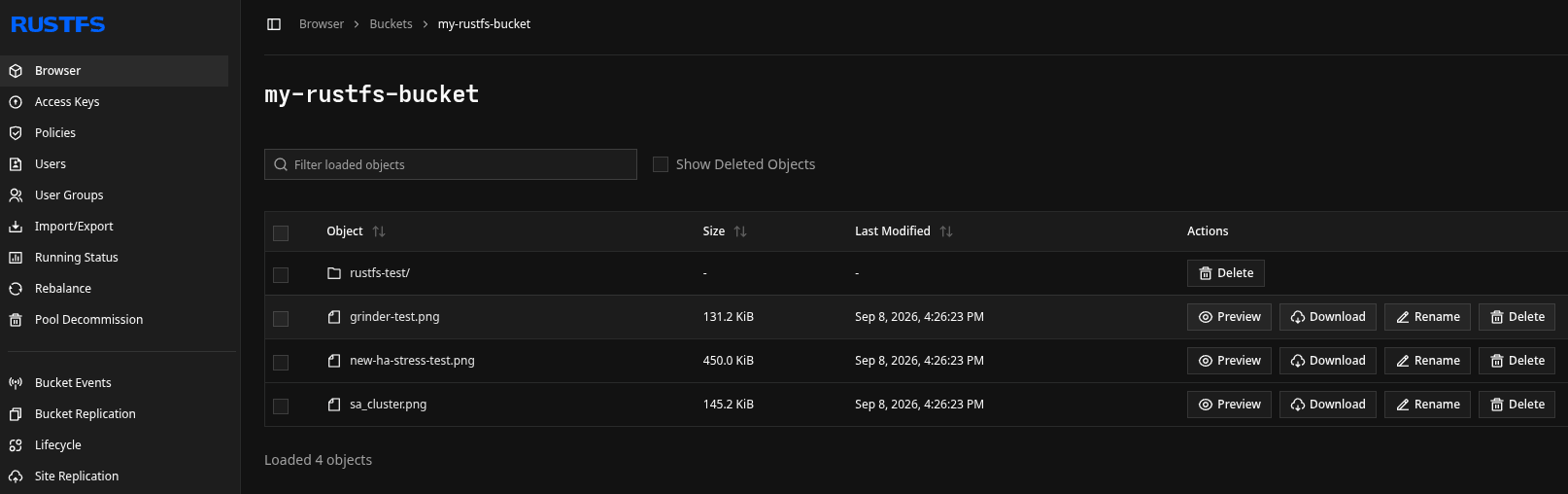
YouThen, back in the RustFS web UI you can alsoverify double-checkthat withyour anfolder SFTP,and orfile(s) FTPSdid clientactually ofland course:there:
And you're done. That's all there is to it. 😄