Note: this article only applies to Syncplify Server! v6.x and above. If you're looking for a way to backup your old (v4/v5) database you should look at [this article](https://kb.syncplify.com/books/syncplify-server/page/how-to-backup-your-syncplifyme-server-v4v5 "How to backup your Syncplify.me Server! v4/v5") instead.
Syncplify Server! v8 offer several ways to perform a backup of its configuration database (which is always part of a good disaster recovery strategy). This article explains three ways to accomplish this task. ##### Method #1: from the SuperAdmin UI The easiest way to backup your entire configuration database is to use the Backup page in the SuperAdmin UI: [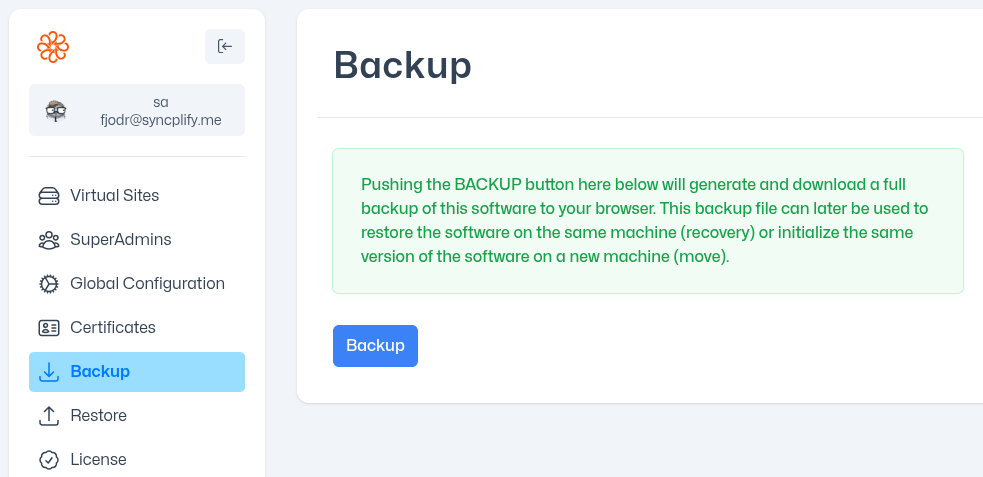](https://kb.syncplify.com/uploads/images/gallery/2026-05/image.png) ##### Method #2: via REST API Of course, using a web UI is not very suitable for automation... so, if you want to automate your backups (and you're familiar with REST API) the same function is documented, in standard OpenAPI documentation format, here: [https://ss6openapi.syncplify.com/](https://ss6openapi.syncplify.com/) ##### Method #3: via command line For those who prefer the old-school command line to a more modern REST API approach, we have also included such capability in the Web/REST service main executable: [](https://kb.syncplify.com/uploads/images/gallery/2026-05/kbiimage.png) Simply open a terminal (or command prompt in Windows), change directory into the directory where Syncplify Server! is installed, and type the following command. **For Windows:** ```powershell .\ss-webrest.exe backup -d "C:\directory\where\you\want\your\backup" ``` **For Linux:** ```bash ./ss-webrest backup -d /directory/where/you/want/your/backup ``` ##### Method #4: via command line (but in SyngoDB's native low-level format) This one is a little bit more laborious, but sometimes it's the only way to acquire a database that contains erroneous data and configurations that make it non-understandable to Syncplify Server!'s system service. This method should always work, even in the worst case scenario. 1. Download this on your server: [https://download.syncplify.me/ss6dump.zip](https://download.syncplify.me/ss6dump.zip) (on all nodes if it's an HA deployment) 2. Put it in its own directory anywhere on the **C:\\** or **root** partition (create one if you need, example: *C:\\ss6dump*) 3. Run it **"as administrator"** (under Windows) or via **sudo** (under Linux) 4. It will create a "dump" folder under the folder where the executable is located 5. You can then zip up the content of that "dump" folder and attach it to your customer support ticket to Syncplify